Tidy Courseweb
A Chrome Extension to Declutter Your SLIIT Dashboard
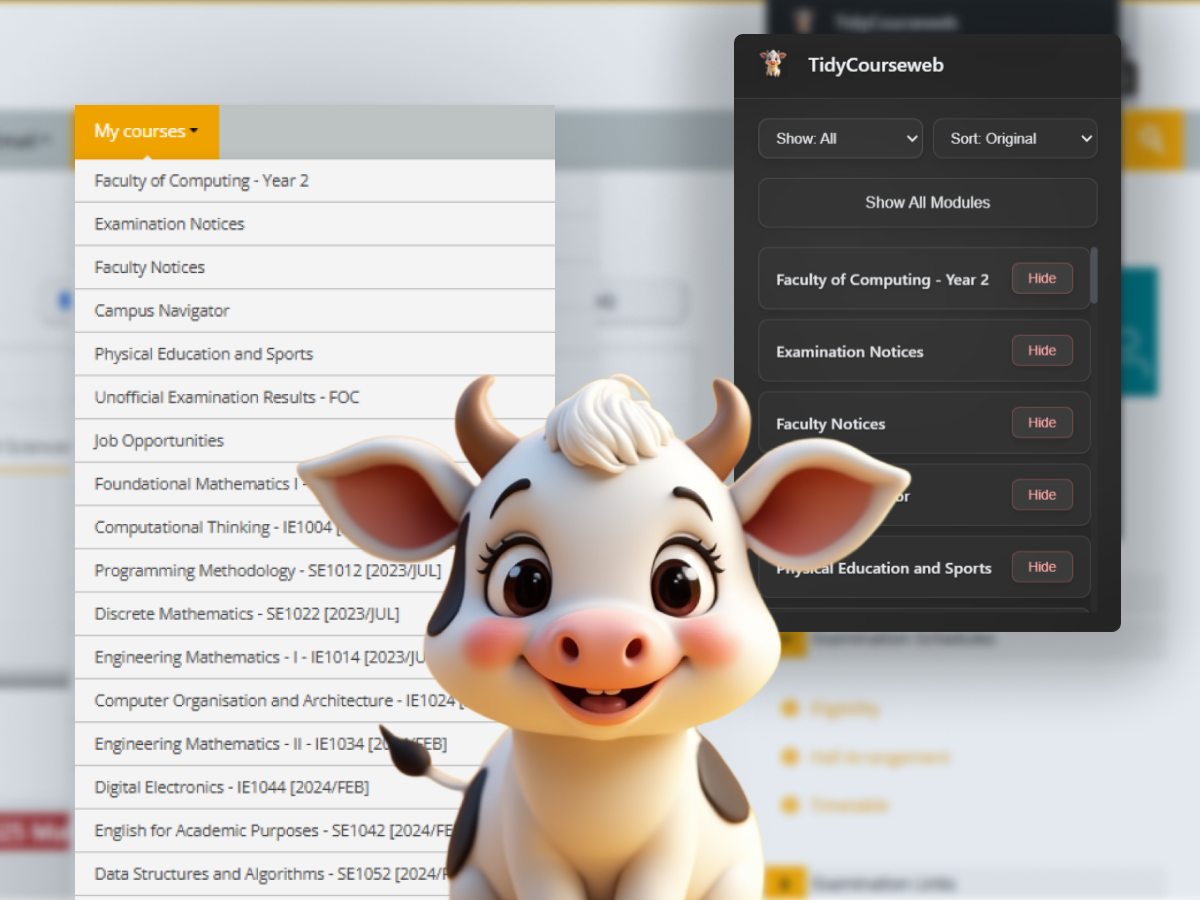
“Your past modules are haunting you. Let’s exorcise them.”
If you're at SLIIT, you already know the pain.
That “My Courses” menu on Courseweb? Yeah — it shows every module you've ever touched. Orientation? Still there. One-week electives? Yup. That Moodle quiz test page? Somehow, it made the cut.
As a 3rd-year student, my sidebar had turned into an archaeological site.
So, I built Tidy Courseweb — a Chrome extension to declutter the mess.
The Idea
I didn’t set out to build something big.
I just wanted my dashboard to look less like a to-do list for someone else’s life.
At first, it was just for me — a hardcoded list of my modules. But then I thought… what if every SLIIT student could clean up their Courseweb too?
Features
- Hide/show any module in the “My Courses” menu
- A clean popup UI to manage visibility
- All data stored in Chrome's local storage
- Only runs on
courseweb.sliit.lk, nowhere else - Privacy-first — no tracking, no analytics
How It Works (Technically)
The extension is built using Manifest V3 — the latest Chrome standard.
Here’s the
manifest.json summary:{
"name": "TidyCourseweb",
"description": "Declutter your Courseweb by hiding old modules and focusing on your current courses.",
"version": "1.0",
"manifest_version": 3,
"host_permissions": ["https://courseweb.sliit.lk/*"],
"permissions": ["storage"],
"content_scripts": [
{
"matches": ["https://courseweb.sliit.lk/*"],
"js": ["scripts/content.js"]
}
],
"action": {
"default_title": "TidyCourseweb",
"default_popup": "popup/popup.html"
}
}
The Flow
- Content script scans the Courseweb sidebar and extracts modules.
- Module data is saved into Chrome’s local storage, along with a visibility flag.
- The popup reads this data and lets you toggle visibility.
- The content script reapplies the hide/show logic on every load.
const hiddenModules = await getHiddenModules();

document.querySelectorAll(".module-list a").forEach((el) => {
  const id = el.dataset.moduleId;
  if (hiddenModules.includes(id)) {
    el.style.display = "none";
  }
});
The entire frontend of the popup is built with vanilla JS and pure CSS to keep things simple and lightweight.
Design Choices
At one point, I had a little “hide” button next to every module on the sidebar.
It worked — but it was messy.
It cluttered the interface I was trying to clean.
So, I removed it. The popup handles everything now — clean and distraction-free.
Install It
Beta: GitHub Release
Chrome Web Store: Install here
Privacy First
No analytics. No tracking. No data collection.
Your preferences are saved in your browser only.
“It never leaves your machine.”
What's Next?
Some ideas for future updates:
- Auto-filter modules by semester or activity
- “Focus mode” — hide everything but current modules during exams
- Dark mode popup
- Search/filter improvements
Final Thoughts
Tidy Courseweb isn’t some complex SaaS or full-blown product.
It’s a tiny fix for a specific pain — one that every SLIIT student feels eventually.
If it makes your dashboard feel a bit more human, I’ll call that a win.
"No more scrolling through the ghosts of semesters past."
Built With
- Manifest V3
- Chrome local storage
- Vanilla JS & CSS